
What Does Collate Mean When Printing? A Guide for Packaging and Print Buyers (UK)
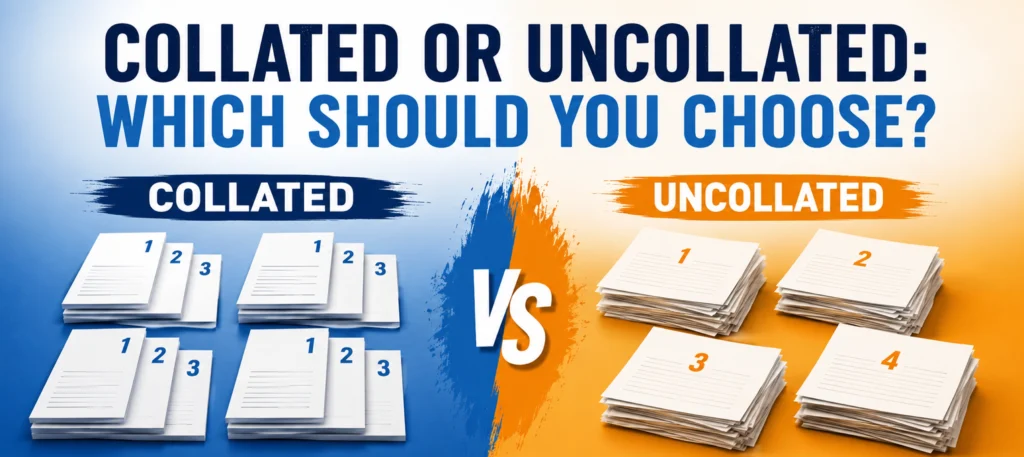
Collate means printing multi-page documents as complete, ordered sets, so copy one comes out with pages 1, 2 and 3 all together, then copy two comes out the same way, and so on. Uncollated printing does the opposite. It groups all the page 1s together, then all the page 2s, then all the page 3s, leaving you to sort them by hand. For most office jobs, collated is what you want. For packaging and print production, from instruction leaflets to swing tag sets, the choice affects finishing cost and how usable each item is once it reaches the packing bench.
What does collate mean, in plain English?
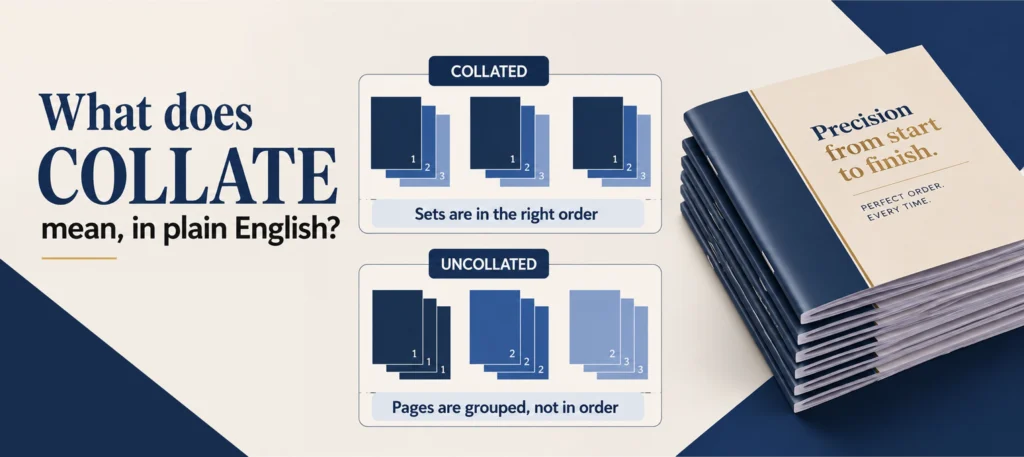
To Cambridge Dictionary definition of collate is to arrange pages in the right order and keep that order across every copy you print. Say you have a 3 page document and you need 3 copies. A collated print job gives you:
Copy 1: Page 1, Page 2, Page 3 Copy 2: Page 1, Page 2, Page 3 Copy 3: Page 1, Page 2, Page 3
Each copy comes off the printer complete and ready to staple, bind or hand out. Nobody has to sort anything afterwards.
That’s the whole idea. It’s a simple concept with a name that sounds more technical than it is.
Collated vs uncollated: the visual comparison
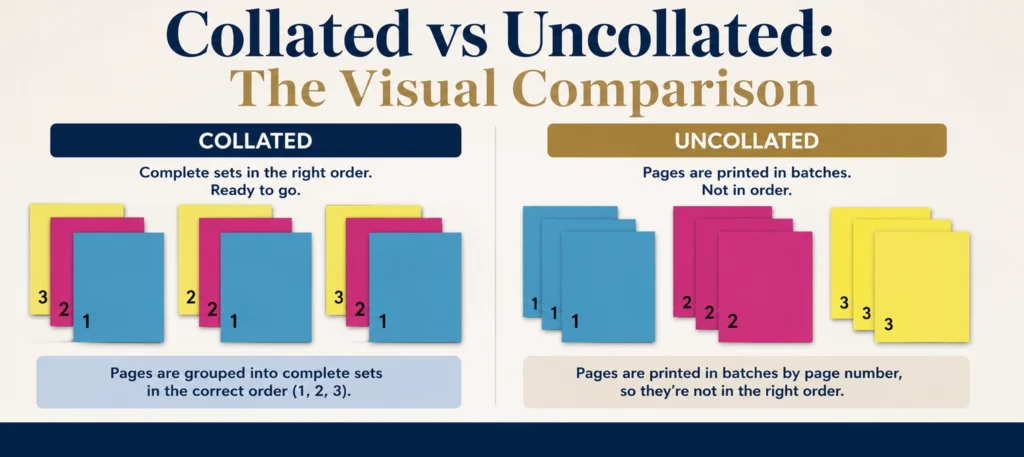
Collated vs uncollated printing
Left side shows three collated sets, each containing page 1, page 2 and page 3 in order, labelled ready to bind. Right side shows three uncollated groups, three page 1s together, three page 2s together, three page 3s together, labelled needs sorting. Based on a 3 page document printed in 3 copies. Collated vs Uncollated Printing Same 3 page document, printed in 3 copies COLLATED UNCOLLATED 1 2 3 Set 1 1 2 3 Set 2 1 2 3 Set 3 READY TO BIND Each copy comes out complete and already in page order 1 1 1 Page 1 (x3) 2 2 2 Page 2 (x3) 3 3 3 Page 3 (x3) NEEDS SORTING Pages group by number, not by set someone has to sort by hand Diagram: All Custom Packaging, original illustration of a 3 page, 3 copy print job The table below spells out the practical difference.
| Collated | Uncollated | |
|---|---|---|
| Page order per copy | Pages 1, 2, 3 in every set | All page 1s, then all page 2s, then all page 3s |
| Ready to use straight away | Yes | No, needs manual sorting |
| Best for | Handouts, reports, leaflets, manuals, anything bound or stapled | Reprinting a single page, or a job a bindery will sort using its own equipment |
| Sorting needed after printing | None | Someone has to collate it by hand |
How to turn collate on when printing from your desk
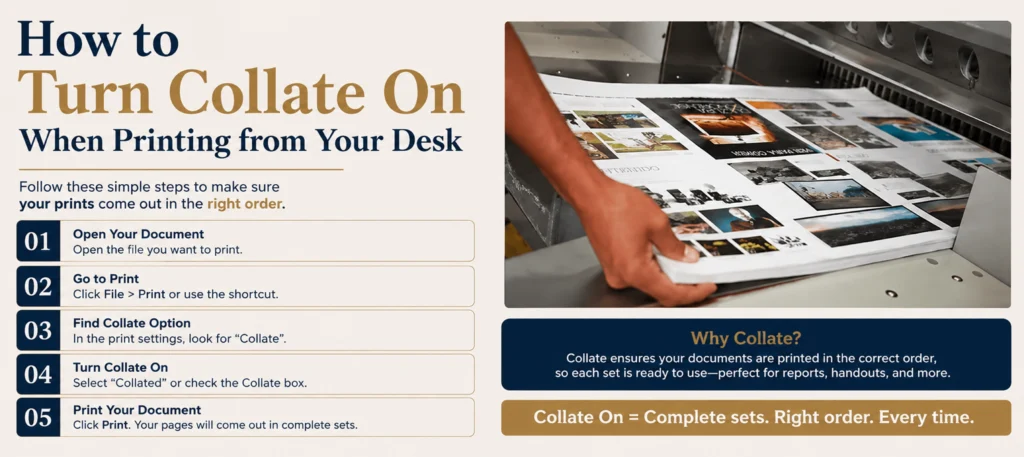
Most print dialogs (Word, Adobe Reader, Google Docs, or the printer driver itself) have a “Collate” checkbox or toggle near copies and page range. It’s usually ticked on by default when you print more than one copy of a multi page document. If you’re getting a stack of loose page 1s, page 2s and page 3s instead of neat sets, someone has switched it off, or the driver defaults to uncollated for that job.
Two terms worth knowing:
- Automatic collation happens inside the printer or copier. The machine sorts the pages into sets as it prints, using its own memory or several paper trays.
- Manual collation means a person sorts the pages by hand after they come off the printer, usually because the machine can’t do it, or the job is too big for its memory.
For a one off report on your desk printer, this is a minor setting. For a print run of hundreds or thousands, it decides how many hours someone spends sorting paper afterwards.
Where collation actually matters: packaging and print production
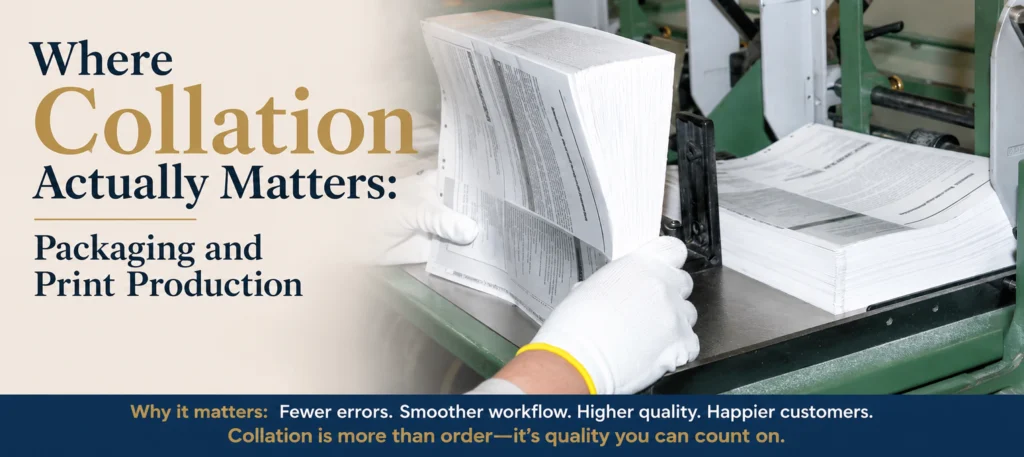
This is the part most guides to “collate” skip, and it’s the part that matters if you’re buying packaging or commissioning a print run rather than printing a document at your desk.
At All Custom Packaging, collation comes up in print production far more often than in office printing. Here’s where it changes a packaging design that sells or print buying decision, not just a printer setting.
Multi page instruction leaflets inside packaging
Plenty of products ship with a leaflet inside the box: care instructions, assembly steps, or ingredient and allergen information split across two or three pages. If that leaflet is printed and folded as a collated set, packing staff (or an automated line) can pick up one complete, correctly ordered leaflet per unit. If it comes off the press uncollated, someone has to build each leaflet by hand before it goes anywhere near a box. On a run of a few thousand units, that’s a real difference in labour time.
Product manuals bundled with packaging
The same logic applies to multi page manuals packed alongside a product: appliances, electronics, or subscription box contents with setup instructions. A collated manual arrives as complete, ready to insert booklets. An uncollated one is a stack of loose sheets that has to be assembled, and often stapled, before it’s usable.
Swing tag sets
Swing tags sometimes come as a set (care instructions on one tag, branding on another, pricing or a barcode on a third) attached together or meant to be read in a specific order. When these print as a collated job, each finished set is correct from the first to the last. Uncollated British Printing Industries Federation here means checking and matching tags by hand, which is slow and easy to get wrong at volume.
Presentation folders with multiple inserts
Custom presentation folders often hold several printed inserts, a cover sheet, a pricing page, a product spec sheet, that need to go in together and in order. If those inserts print collated, each folder can be filled straight from the stack. If they print uncollated, whoever’s assembling the folders is sorting three separate piles of paper by page type before they can even start filling folders.
Why this matters for your budget, not just your printer settings
Uncollated print runs can cost less at the press because the machine isn’t doing the sorting work. That saving often shows up somewhere else instead, as extra labour time to sort and assemble by hand before the job is actually usable. When you’re getting a quote for a multi page print job that goes inside or alongside packaging, it’s worth asking directly whether collation is included, and whether it’s automatic (done by the machine) or manual (done by a person, and prices vary by supplier, material and quantity).
A quick checklist: does your packaging job need collation?

Use this before you brief a print job that involves more than one page per unit.
- Does each unit need more than one printed page or insert (leaflet, manual, tag set, folder insert)?
- Do those pages need to stay in a specific order for the product to make sense (instructions, numbered steps, front to back branding)?
- Will the pages be assembled by hand, by a machine, or not at all if they’re printed as loose sheets?
- Have you asked your printer or packaging supplier whether the quote includes collation, and whether it’s automatic or manual?
- If the job is large, hundreds or thousands of units, have you weighed the labour time for sorting against the cost of paying for collation at print stage?
If you answered yes to the first two questions, collation isn’t a nice to have. It’s the difference between a print job that’s ready to pack and one that needs another round of hand finishing first.
Collated or uncollated: which should you choose?
Choose collated when:
- You’re printing more than one copy of a multi page document, leaflet or manual
- The finished item needs to be stapled, bound or handed out as a complete set
- You want it usable straight off the press, with no sorting
Choose uncollated when:
- You genuinely need pages grouped by page number, for example a job a bindery will sort using its own specialist equipment
- You’re reprinting a single page and don’t need full sets at all
For nearly every packaging related job, from leaflets to tag sets to folder inserts, collated is what you want. Uncollated printing is the exception, used by print professionals for specific finishing methods, not the default choice for a small business ordering leaflets or manuals.
Common mistakes buyers make with multi page print jobs
- Assuming collation is automatic on every quote. Some suppliers quote collated as standard, others charge extra or leave it manual. Ask, don’t assume.
- Not checking page order before approving artwork. A collation mistake at the file stage (pages saved in the wrong order) will print wrong no matter what the collate setting is.
- Treating “collate” as a print shop only word. If you brief in house teams or freelancers on multi page inserts, use the word and explain it. It avoids confusion later.
- Forgetting sorting time when budgeting a big run. Uncollated can look cheaper on the quote until you add the hours needed to sort and assemble by hand.
Frequently asked questions

What is the difference between collated and uncollated printing? Collated printing produces complete, ordered sets: page 1, 2, 3, then page 1, 2, 3 again for the next copy. Uncollated printing groups all copies of each page together instead: all the page 1s, then all the page 2s, and so on.
What does uncollated mean when printing? It means the printer produces every copy of one page before moving to the next page, rather than printing complete sets in order. You end up with stacks grouped by page number, not by copy.
Should I choose collated or uncollated printing? For almost any multi page document, leaflet, manual or insert that needs to be handed out, bound or packed as a complete set, choose collated. Uncollated suits specific finishing processes or single page reprints, not everyday packaging or office jobs.
What does collate mean on a printer? It’s a setting, usually a checkbox, that tells the printer or copier to assemble each copy as a complete, ordered set rather than printing all copies of one page together.
Is collated printing more expensive? Not always, but automatic collation (done by the printer or copier) can cost more than uncollated runs, because the machine is doing extra sorting work. Manual collation (a person sorting by hand) shifts that cost to labour instead. Ask your printer or packaging supplier which applies before you approve a quote, since prices vary by supplier, material and quantity.
Do leaflets and manuals inside packaging need to be collated? If they’re more than one page and need to make sense in order, yes. An uncollated multi page leaflet is just a stack of loose sheets until someone assembles it, which adds time and cost before it’s ready to pack.
What is the difference between manual and automatic collation? Automatic collation happens inside the printer or copier itself, using its memory or multiple trays to sort pages as it prints. Manual collation means a person sorts the printed pages by hand afterwards.